Within the e-mal server we use shared mailboxes at JAMU. These are non-personal e-mail addresses that are typically managed by several people. These are, for example, mailboxes of individual units, projects, festivals, etc.
Need access to one of these mailboxes? Access is set up by the IT administrators upon request to ovis@jamu.cz with the approval of the manager, whom you should copy. You will be notified once access has been established.
Do you already have access to such a mailbox? Now we will show you how you can access this mailbox.
In Outlook classic, shared mailboxes are shown automatically. However, the new outlook has it just like the web version (outlook.office.com), so you have to add the address manually.
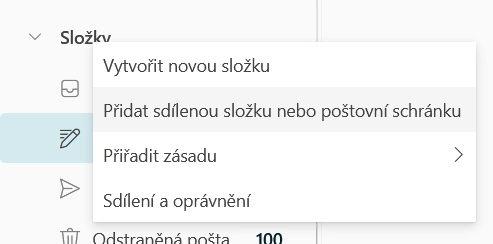
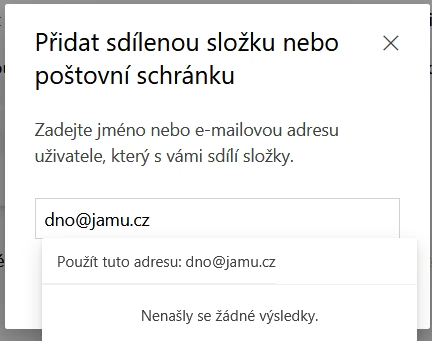
You can pin a mailbox to the left column by right-clicking on “Folders” and “Add a shared folder or mailbox”, then enter the desired address in the box.
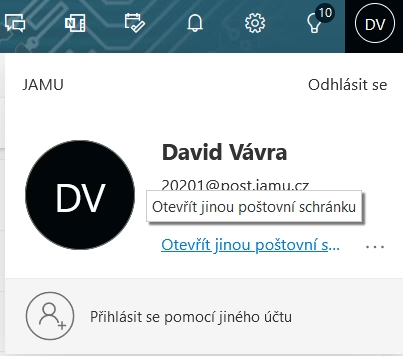
Another way to access your mailbox is to click on your avatar/initials in the top right corner and then “Open another mailbox”.
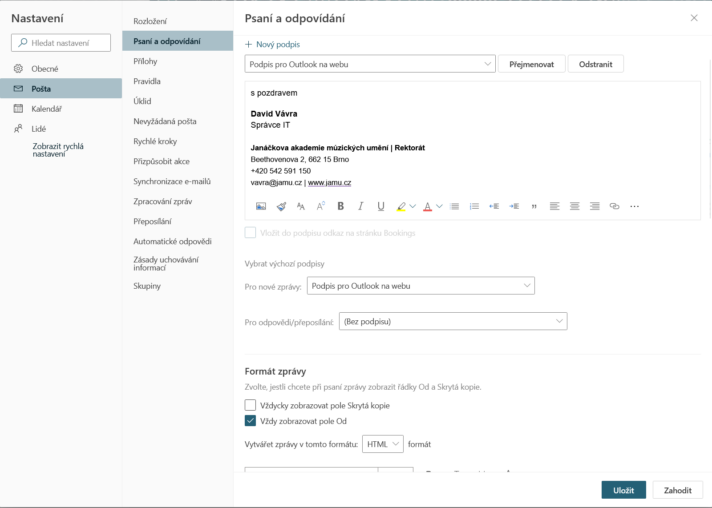
To send from these addresses you can display the “from” field in the settings, i.e. the cog in the top right corner -> show all outlook settings -> mail -> writing and replying -> Always show the from field.