Every student and employee of JAMU has an account in Microsoft 365 services with appropriate licenses. These licenses allow you to use a large number of different applications.
How can you sign up for Microsoft 365 services? You use “your PIN”@post.jamu.cz as your login name and your secondary password as your password.
Most commonly used applications
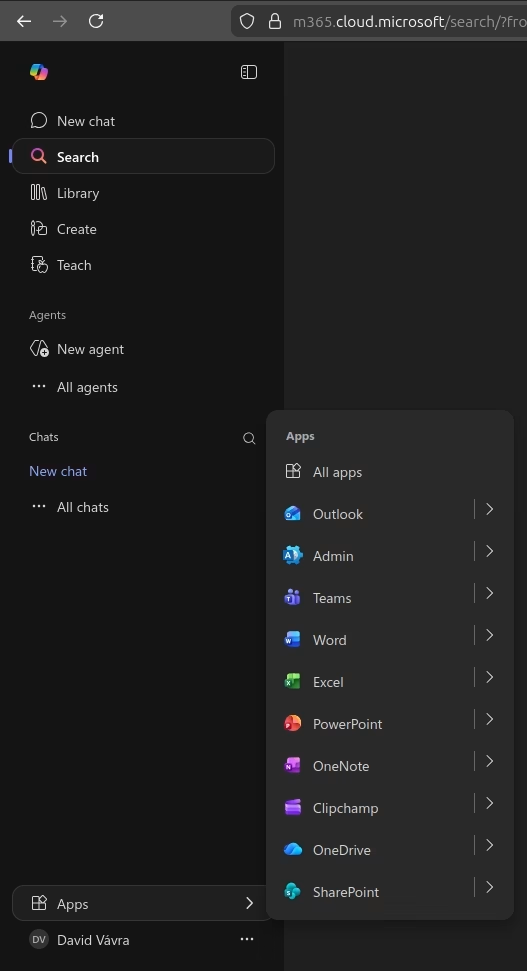
When you log in to the https://m365.cloud.microsoft web portal, you will see Apps, or Applications, in the bottom left corner. Under this heading are the most common apps, as well as a link to all apps. More detailed instructions for selected apps can be found in the right menu.
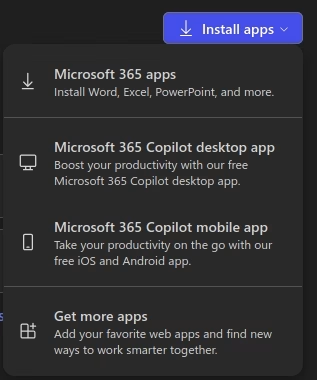
If you want to download an office suite to your PC, click on “all apps/all apps” and you will see a menu in the top right corner that says “install apps/install apps”. All currently enrolled students and employees on a work contract or work agreement are licensed to use these applications. This package includes Word, Excel, PowerPoint and more.