The Onedrive app is used to store files in the cloud. It’s a repository where you can store files related to your studies or work. The capacity of this storage is limited to a total size of 256GB.
The advantages of this storage are that the data is safe from loss, it is accessible from anywhere you log in, and last but not least, the fact that you can also share files using links, just like you may know from other services.
How to get to the repository?
Use the web interface at https://jamuvbrne-my.sharepoint.com/my, or another option is to log in to the Onedrive desktop app on a Windows PC, or the Onedrive app on a mobile phone (Android/iOS).
How can I share a file with someone?
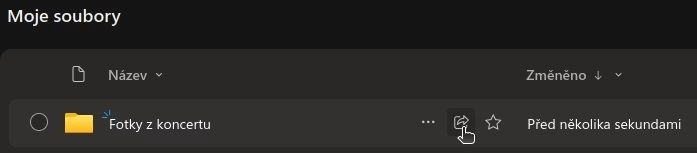
The procedure is the same for files and folders. Click the share arrow next to the file or folder you want to share.
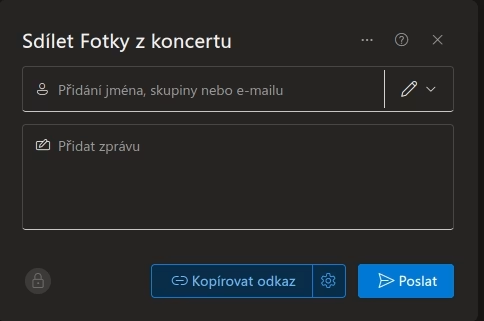
You then choose who you want to send the invitation to and what permissions you want to give that person to the file. If it’s a person with a JAMU account, just start typing their name and it will find them right away. You don’t need to send the share as an invitation to a specific person. Just set the type of share and click the “Copy Link” button.